
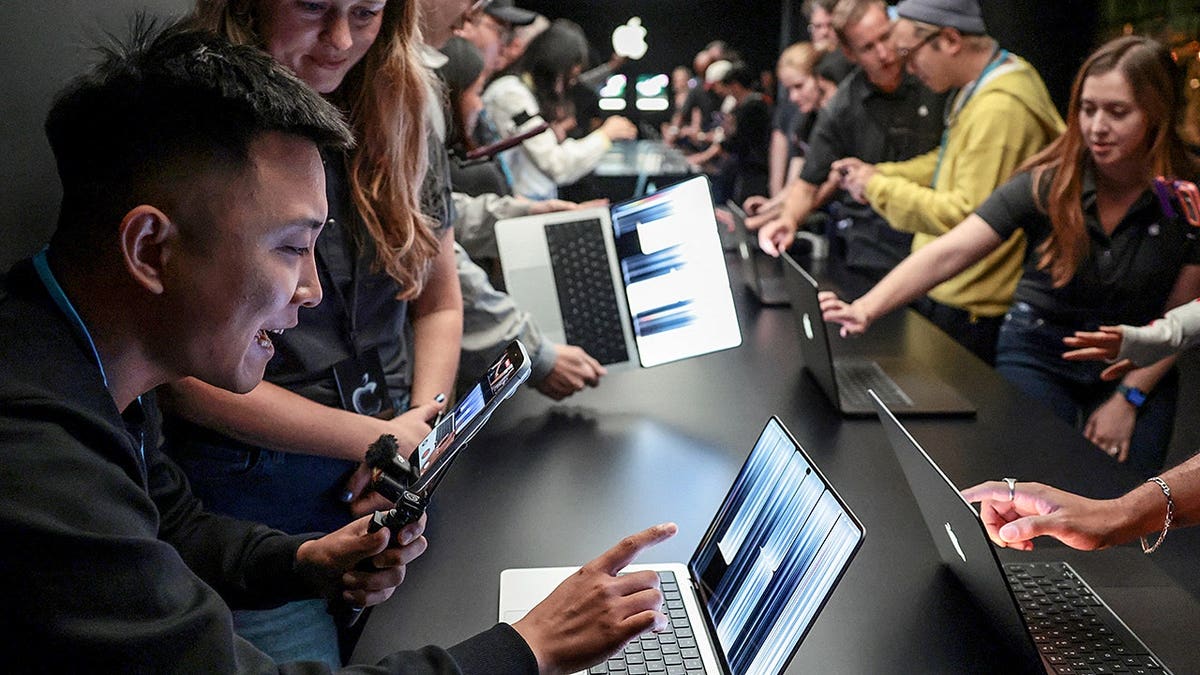
Following its launch by Apple CEO John Ternus on October 28, 2026, in Los Angeles, the new MacBook Pro has introduced a long-awaited feature: the touchscreen. This addition, coupled with an OLED display, a sleeker design, and enhanced processing power, marks a significant development for the company’s laptop lineup. However, starting at $2,899, the price remains a substantial consideration for potential buyers.
Key Features of the Touchscreen MacBook Pro
Apple has long supported the idea that the MacBook Pro functions best with a keyboard and trackpad, avoiding touchscreens while most Windows laptops offered them. Now, with the PROLED XDR Display, users can directly interact with their screen. This brings gestures from the iPhone and iPad to the Mac world, allowing more intuitive use of apps.
The device retains its traditional laptop form, missing features like tablet folding or Apple Pencil compatibility. Nonetheless, it includes a redesigned hinge for a more stable display during touch interactions. The device targets users who appreciate the touch experience they’ve grown accustomed to on other Apple devices. Yet, those who rely on a combined device for typing and drawing might need more than this model offers.
Display Enhancements with OLED Technology
The MacBook Pro’s new PROLED XDR display is notable for its use of tandem OLED technology, yielding deep blacks alongside bright highlights without reliance on backlighting. Apple signals impressive specs, such as 2,000 nits peak brightness and a 10,000,000:1 contrast ratio. These features promise better visuals, particularly benefiting those involved in video editing or photography with a focus on color accuracy.
Additional features include an anti-reflective coating and an optional nano-texture finish to reduce glare. For prolonged screen users, these features combined may enhance the display experience beyond the novelty of touchscreen capabilities.
Processing Power and Performance
Equipped with M5 Pro and M5 Max processors, the new laptops aim to fulfill the needs of users requiring significant computing power for tasks like high-resolution video editing. Configuration options enable up to 128GB of unified memory and 16TB of storage, with pricing escalating as features are added.
Besides processing capabilities, the MacBook Pro runs on macOS 27, includes upgraded Siri AI, and for the first time, integrates Dynamic Island into the Mac environment. Other features include an enhanced camera system and improved speaker technology, appealing to those who require live updates and quality media experiences.
Weight, Portability, and Battery Life
Concerns about the weight of touchscreen laptops are addressed in this new model, which is notably lighter than its predecessor at approximately three pounds for the 14-inch version and four pounds for the 16-inch. Both models offer a thinner design, improving portability for frequent travelers. Battery life claims stretch up to 24 hours, though this warrants independent verification.
Pricing and Variant Comparisons
Positioned in the premium category, the 14-inch M5 Pro model starts at $2,899, escalating with the M5 Max variants. A lower-cost 14-inch MacBook Pro model with the newer M6 chip is available for $1,999, offering Liquid Retina XDR without touch.
Compared to prior models, the new touchscreen MacBook Pro reflects a $400 increase over the similarly equipped predecessor, highlighting the premium for touchscreen and OLED enhancements. The cost structure provides varied options, prompting buyers to weigh the necessity of touchscreen functionality against other high-performance laptops.
Touch Interaction and App Compatibility
Apple suggests macOS will enable touch functionality by translating finger taps into clicks, easing transition. The core ambition appears to engage creative users through touch-optimized apps, demonstrated through Final Cut Pro and Logic Pro interfaces, which enhance user interaction with multimedia content. Existing and future app support may influence utility expectations, with native macOS controls initially appearing less touch-friendly.
For potential buyers, trying the new model in-person at an Apple Store upon availability from November 6 might provide deeper insights into the everyday utility of the touchscreen feature.
Considerations on Protection and Future-proofing
Given the significant investment, protecting the MacBook with antivirus software and staying updated is advised to safeguard against potential digital threats. For recommendations, CyberGuy.com offers curated 2026 antivirus solutions.
Kurt “CyberGuy” Knutsson urges buyers to consider the touchscreen MacBook Pro’s features in-depth and evaluate its role alongside existing needs before purchasing, suggesting real-world trials to appreciate its return on investment.